Supply Assurance App#
Modern supply chains are increasingly complex, with multiple stakeholders, dynamic timelines, and constant operational dependencies. In this environment, delayed shipments, missed commitments, and inefficient supplier follow-ups can result in substantial financial impact and reduced customer satisfaction. Traditional, manual tracking methods further compound these challenges—requiring teams to spend significant time reviewing purchase orders (POs), chasing supplier updates, and manually maintaining records across systems. This not only creates process bottlenecks but also limits visibility, increases the risk of errors, and restricts teams from focusing on strategic decision-making.
The Supply Assurance App, powered by Athena, is designed to address these challenges through intelligent automation and proactive monitoring. Athena, your AI Supply Chain Manager, ensures that every purchase order is consistently tracked, updated, and managed across its lifecycle. It centralizes PO data, streamlines supplier communications, and delivers real-time insights ensuring that potential delays or risks are identified early and addressed promptly.
By reducing dependency on manual processes, the Supply Assurance App improves operational efficiency, enhances visibility across the supply chain, and enables teams to shift their focus from routine tracking to higher-value, strategic activities.
Challenges in Manual Supply Tracking#
Managing purchase orders across multiple suppliers, regions, and timelines can be overwhelming. Traditional processes come with several pain points:
Delayed Shipments Go Unnoticed: Without real-time tracking, delays are often identified too late, impacting production and fulfillment.
Manual Follow-Ups Are Time-Consuming: Teams spend considerable effort and time coordinating with suppliers, negotiating new delivery timelines, and updating information across systems.
Limited Supply Chain Visibility: The absence of a centralized, real-time view makes it difficult to accurately track supply status, resulting in poor planning and operational inefficiencies.
These challenges not only reduce operational efficiency but also contribute to revenue loss, increased inventory holding costs, and weakened customer relationships.
Accessing Supply Assurance App#
Users are required to purchase the Supply Assurance App through the MarketSpace before they can access it. Once the purchase is completed, the app is automatically added to the Launchpad. After logging in, the user can navigate to the Launchpad tab to view all purchased applications. From there, the user can search for the Supply Assurance App and click on it to begin using the application.
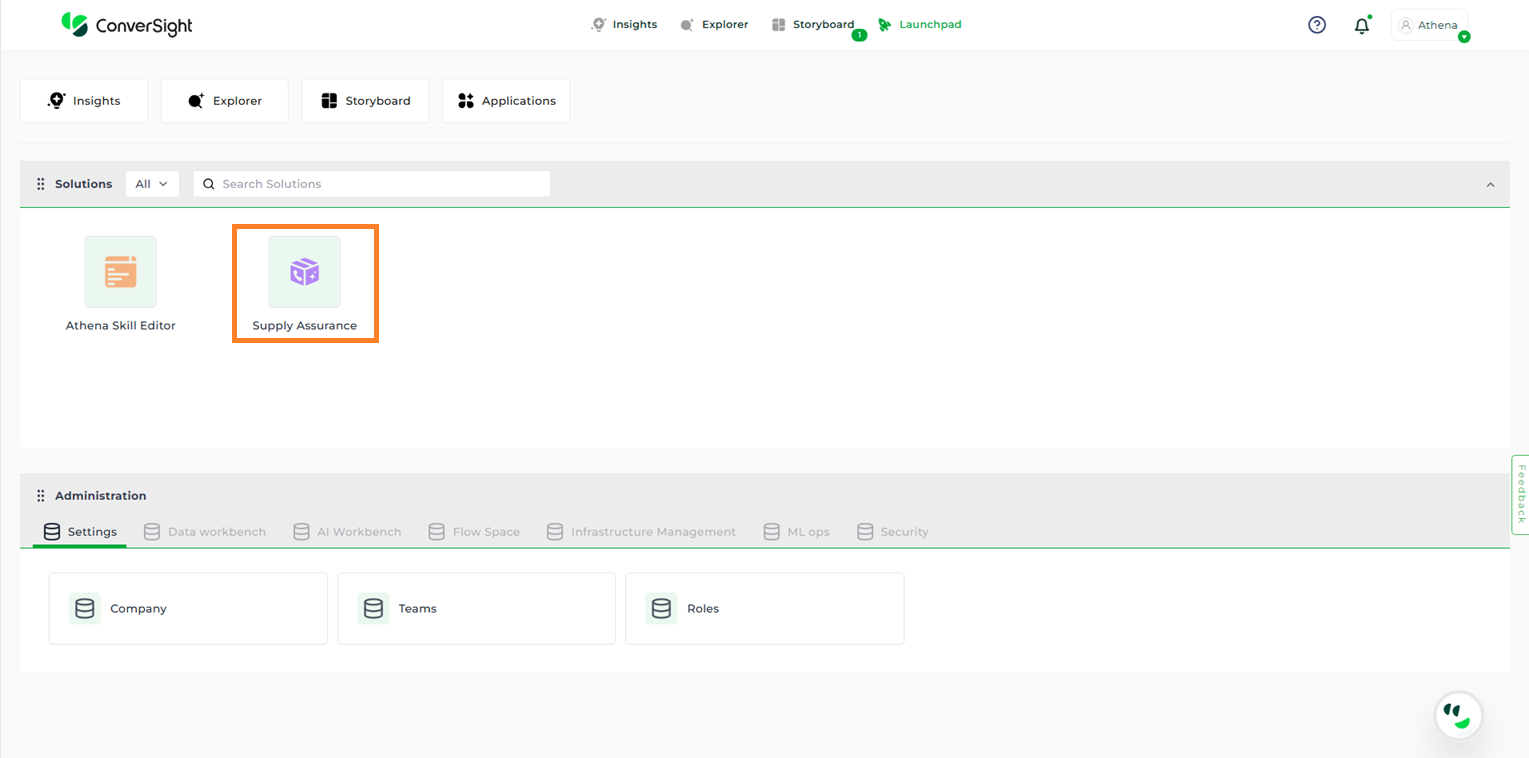
Supply Assurance App#
Supply Assurance Command Center#
The Supply Assurance Command Center provides a clear, at-a-glance view of key metrics for quick understanding of overall supply status. The dashboard presents a high-level summary of:
Total Purchase Orders
Delayed Orders
Calls in Queue
Active Calls
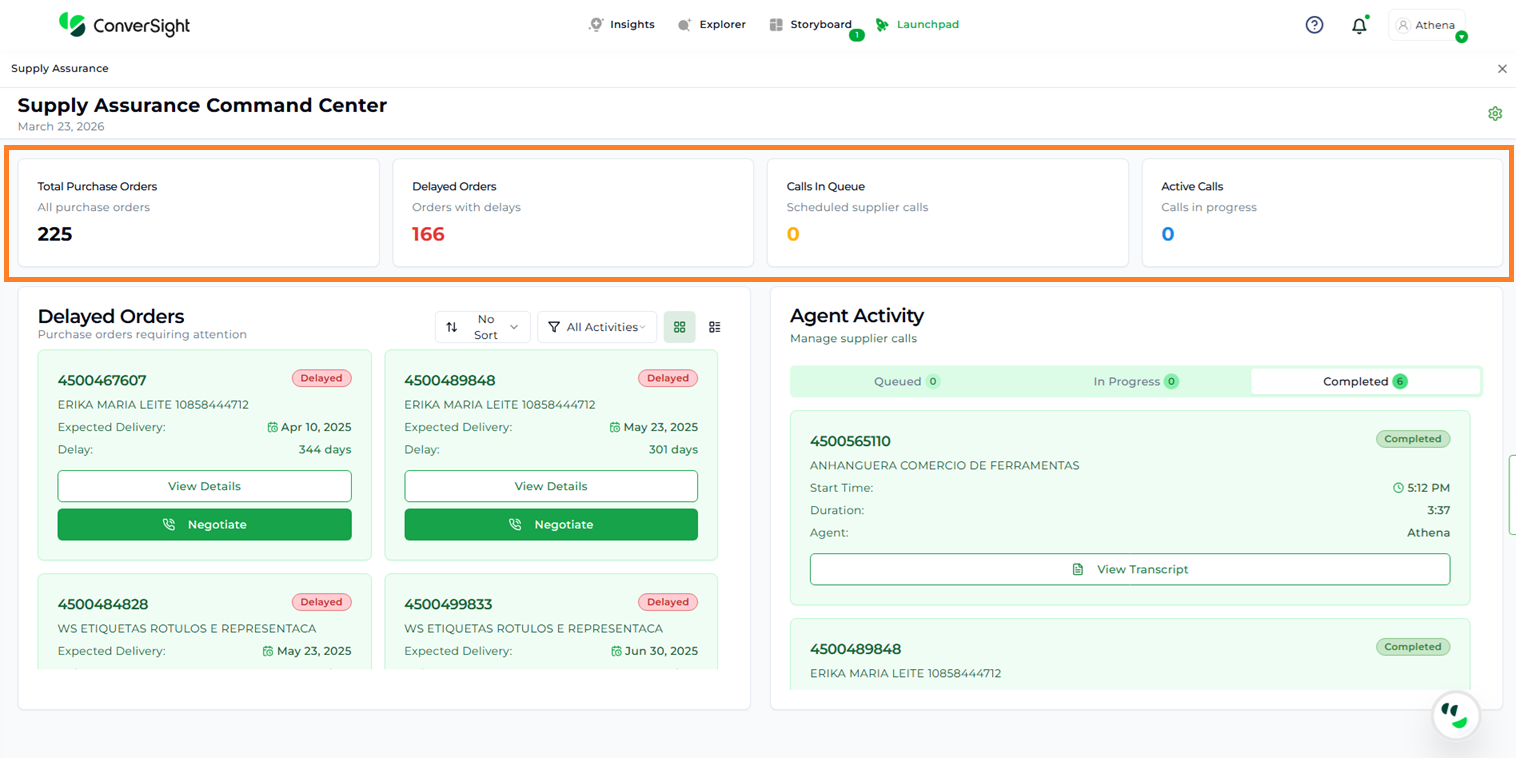
Command Center#
Voice and Language Settings#
Users can configure agent preferences such as voice, language, and regional settings through the Settings option. By clicking the Settings icon, the Voice and Language Settings page is displayed, which includes the following sections:
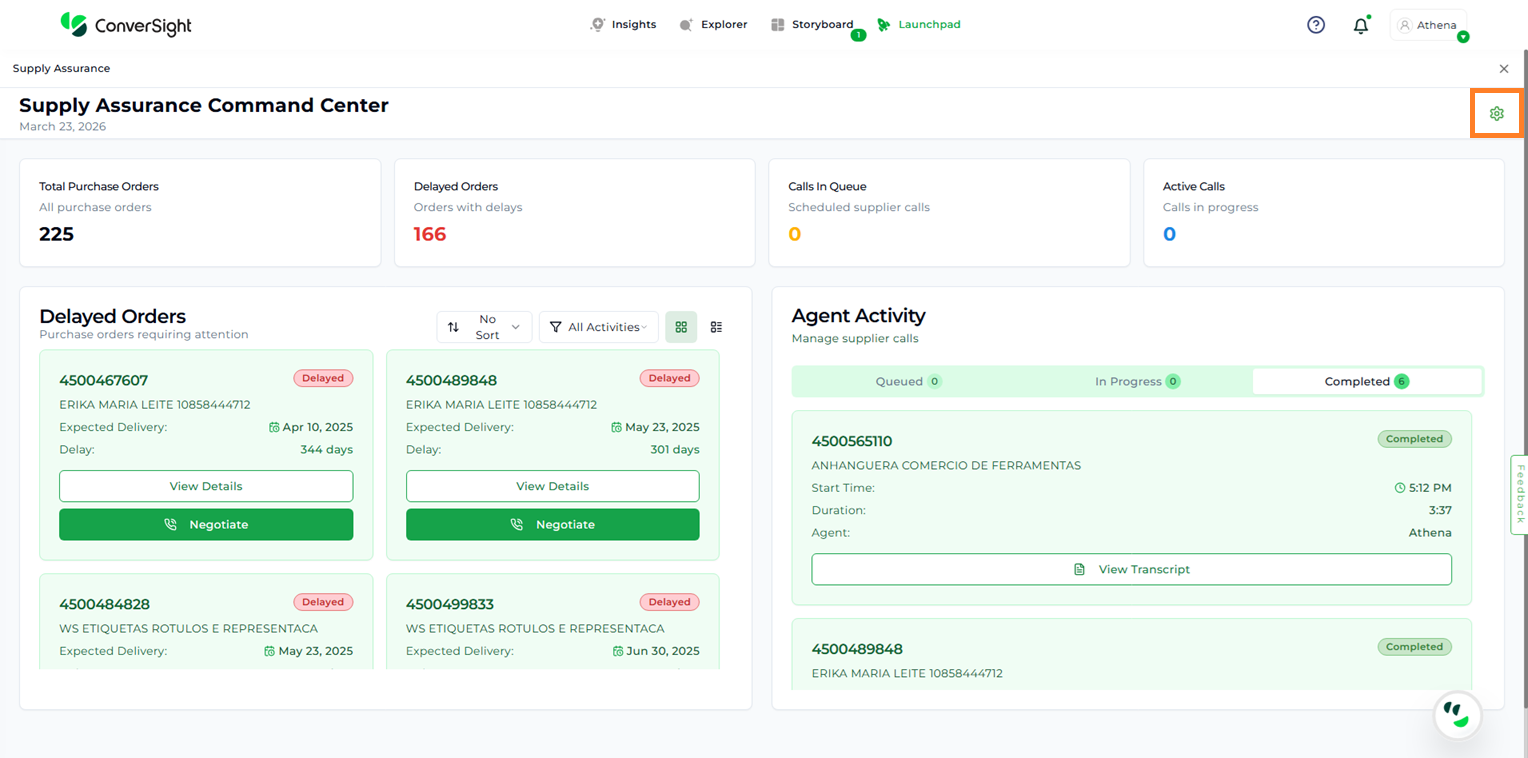
Voice and Language Settings#
Refresh Data: Updates the data to ensure the latest information is used during negotiations.
Export Report: Allows users to export purchase order details.
Get Help: Provides access to help documentation.
Country and Region: Users can select the preferred country and corresponding currency. This defines the primary operational location.
Regional Language: Users can choose the preferred language for negotiations. The default language is English.
Voice Selection: Users can select the agent’s voice type, such as male or female.
Select Avatar: Users can choose a preferred avatar from the dropdown and use the Preview option to listen to the selected voice before applying it.
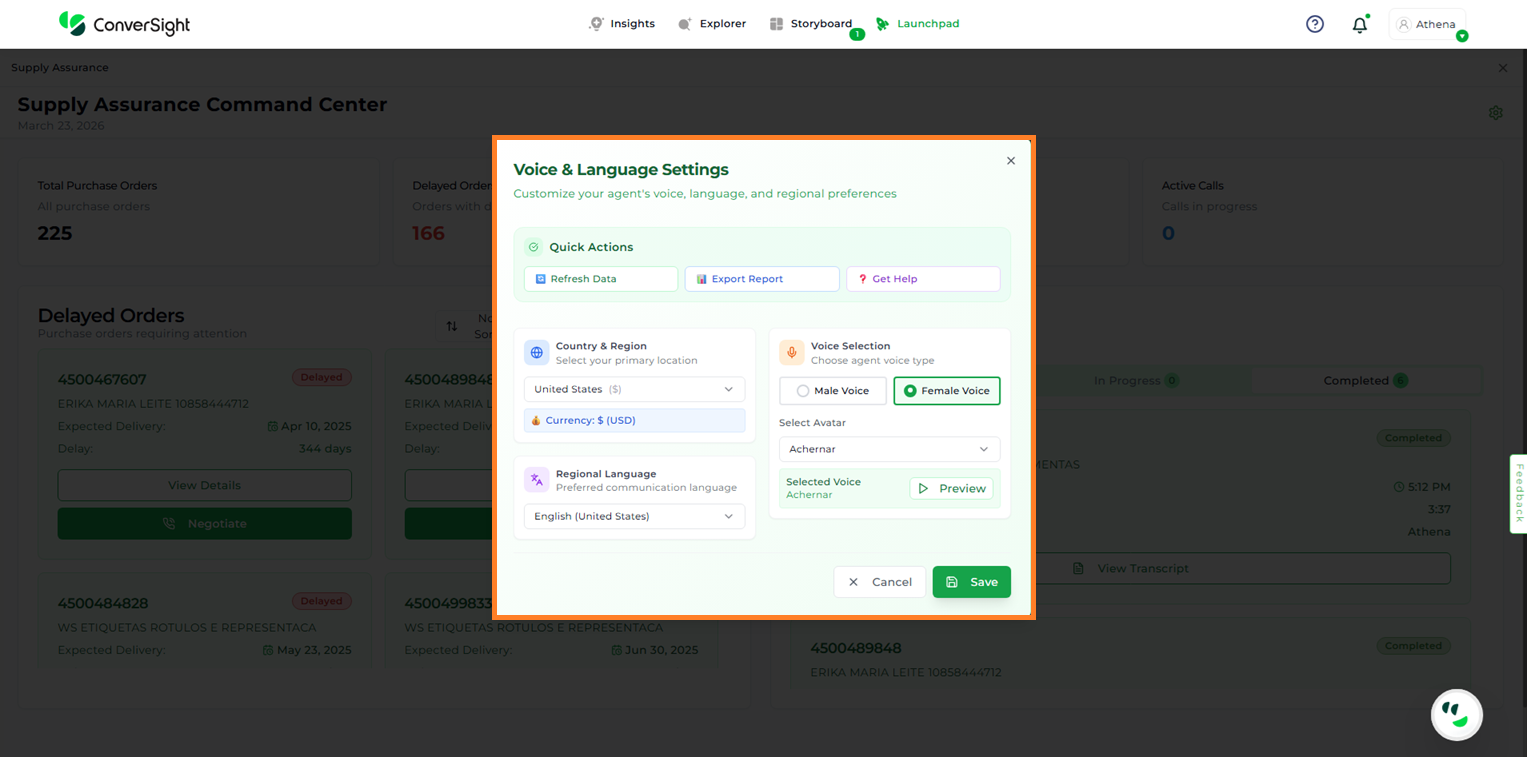
Voice and Language Settings#
After making the required changes, users can click Save to apply the updates.
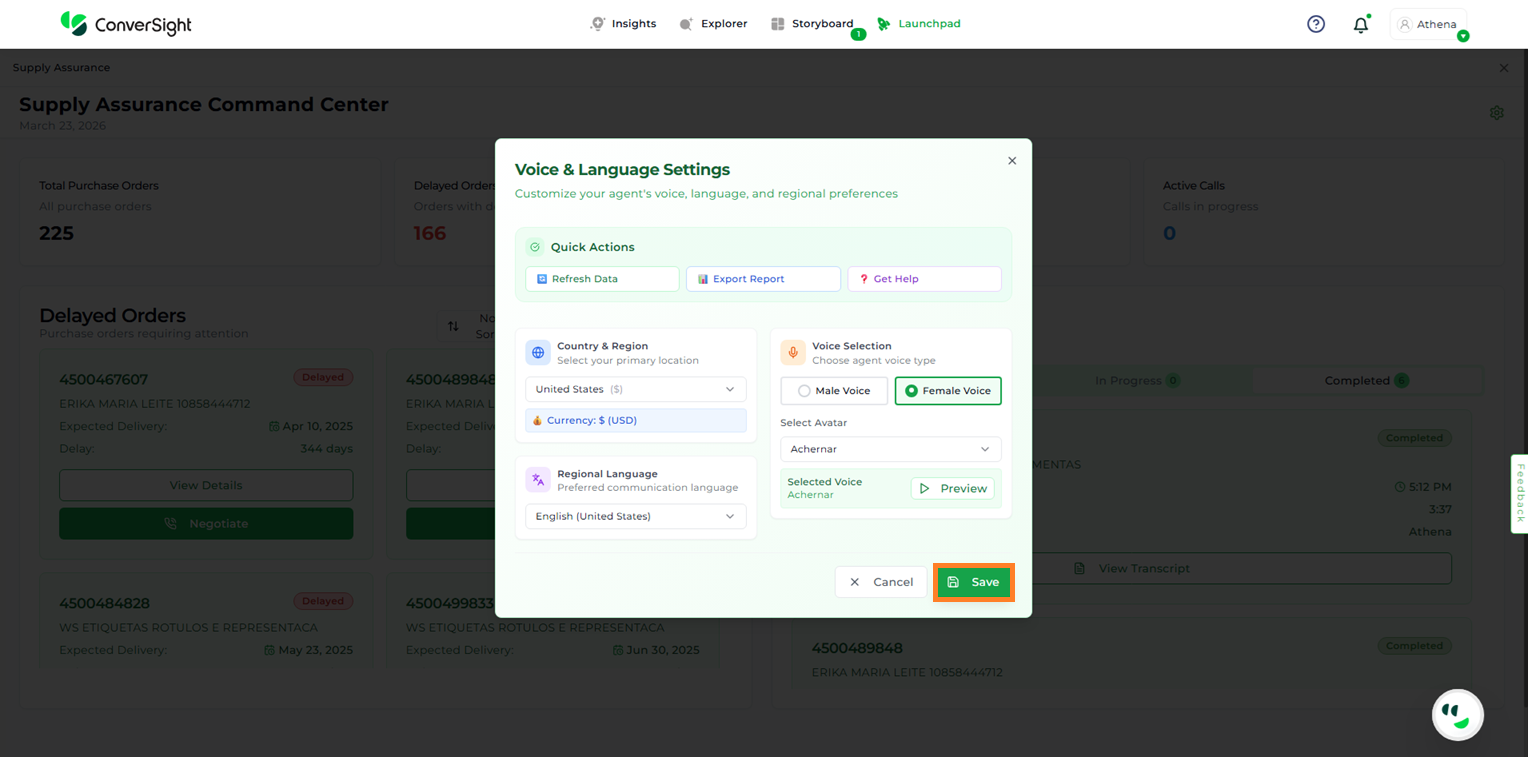
Voice and Language Settings#
Delayed Orders#
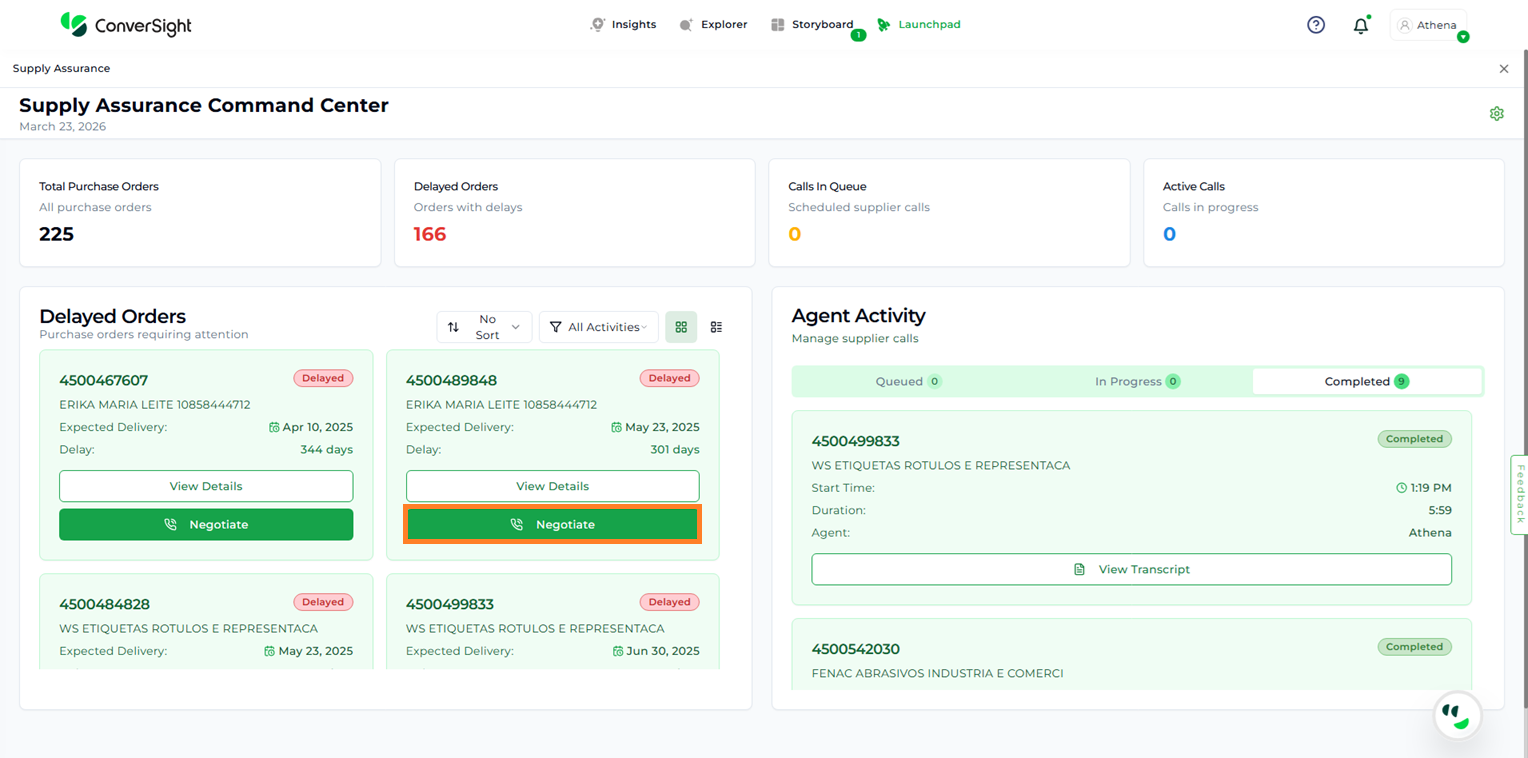
The Delayed Orders section displays all orders that are delayed and require user intervention for negotiation.
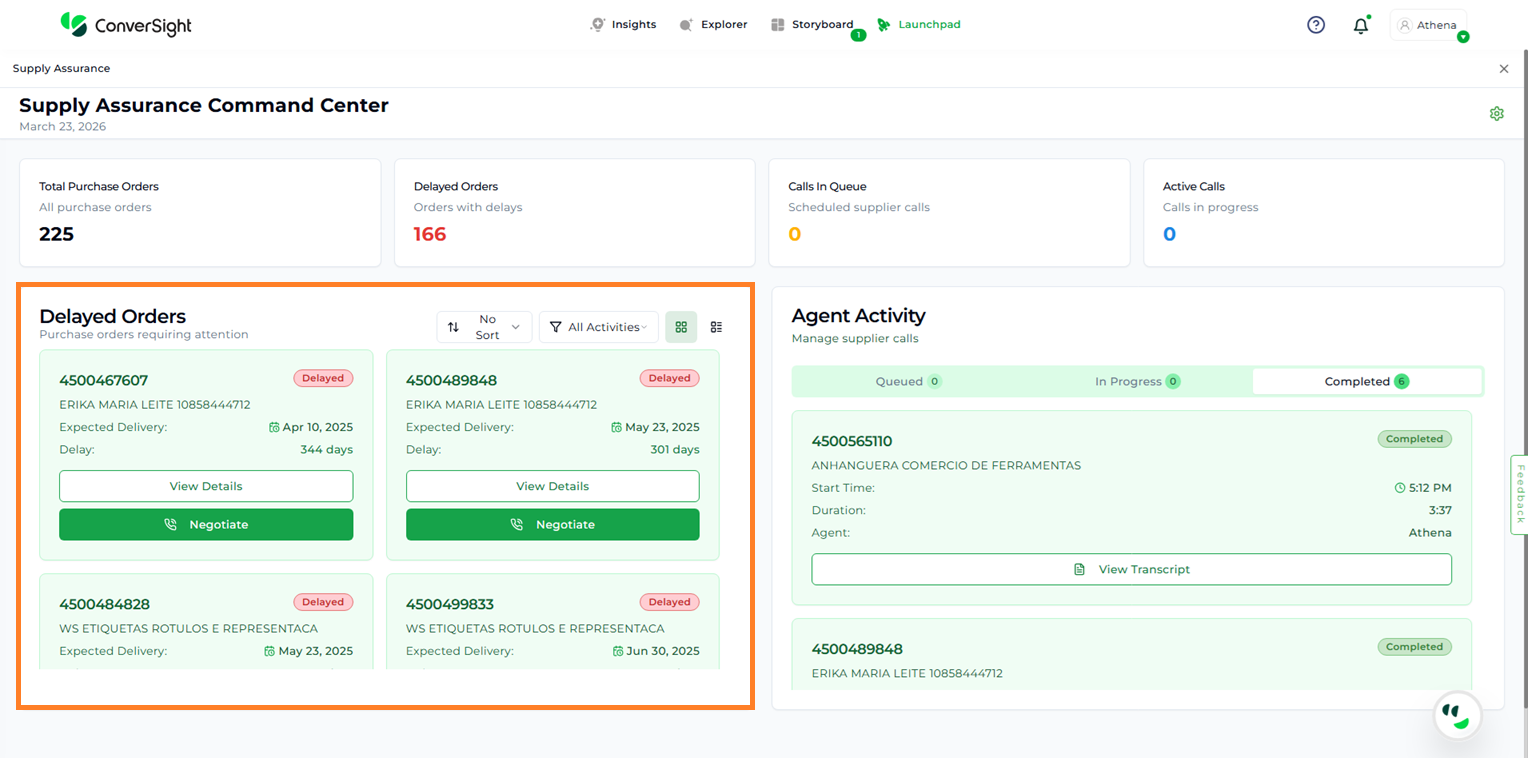
Delayed Orders#
Users can customize the display of delayed orders using the following filter options:
Sorting
Activity-Based Filtering
Sorting#
Users can organize and view purchase orders more effectively by sorting them based on key attributes such as PO Number, Supplier Name, Status, Expected Delivery Date, Delay, or Amount. This flexibility allows users to quickly locate specific orders and prioritize actions based on business needs. By default, all cards are displayed in No Sort mode, presenting the data in its original order until a sorting preference is applied.
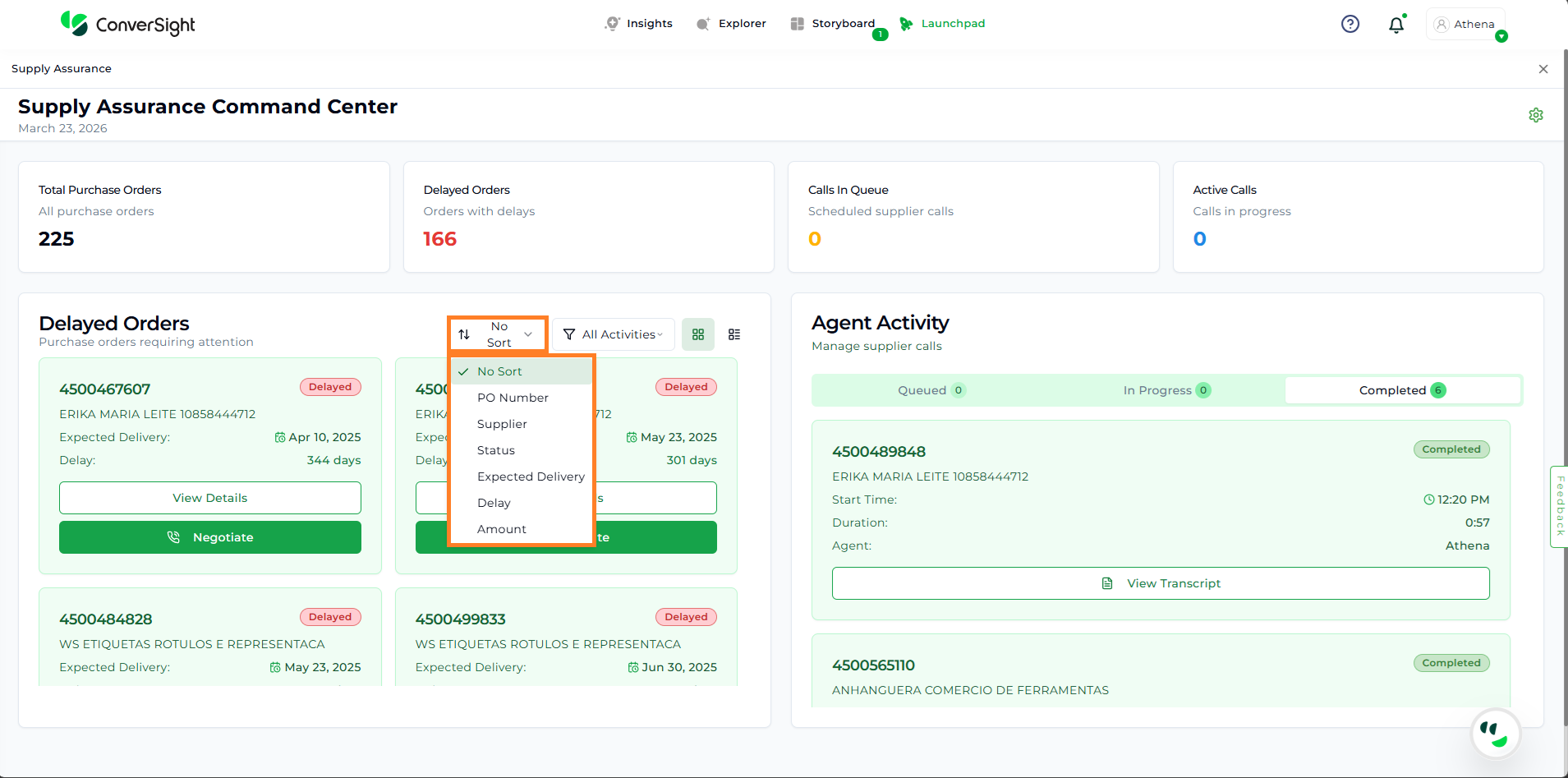
Sort#
Activity-Based Filtering#
Users can organize and view purchase orders more effectively by applying activity-based filters that align with different stages of the workflow. This enables users to focus on specific sets of orders and take relevant actions based on their current status.
By default, the All Activities view displays all purchase orders, regardless of their stage. Users can further refine the view using filters such as For Negotiation, Agent, Queued, In Progress, and Completed, allowing for a more targeted and efficient workflow.
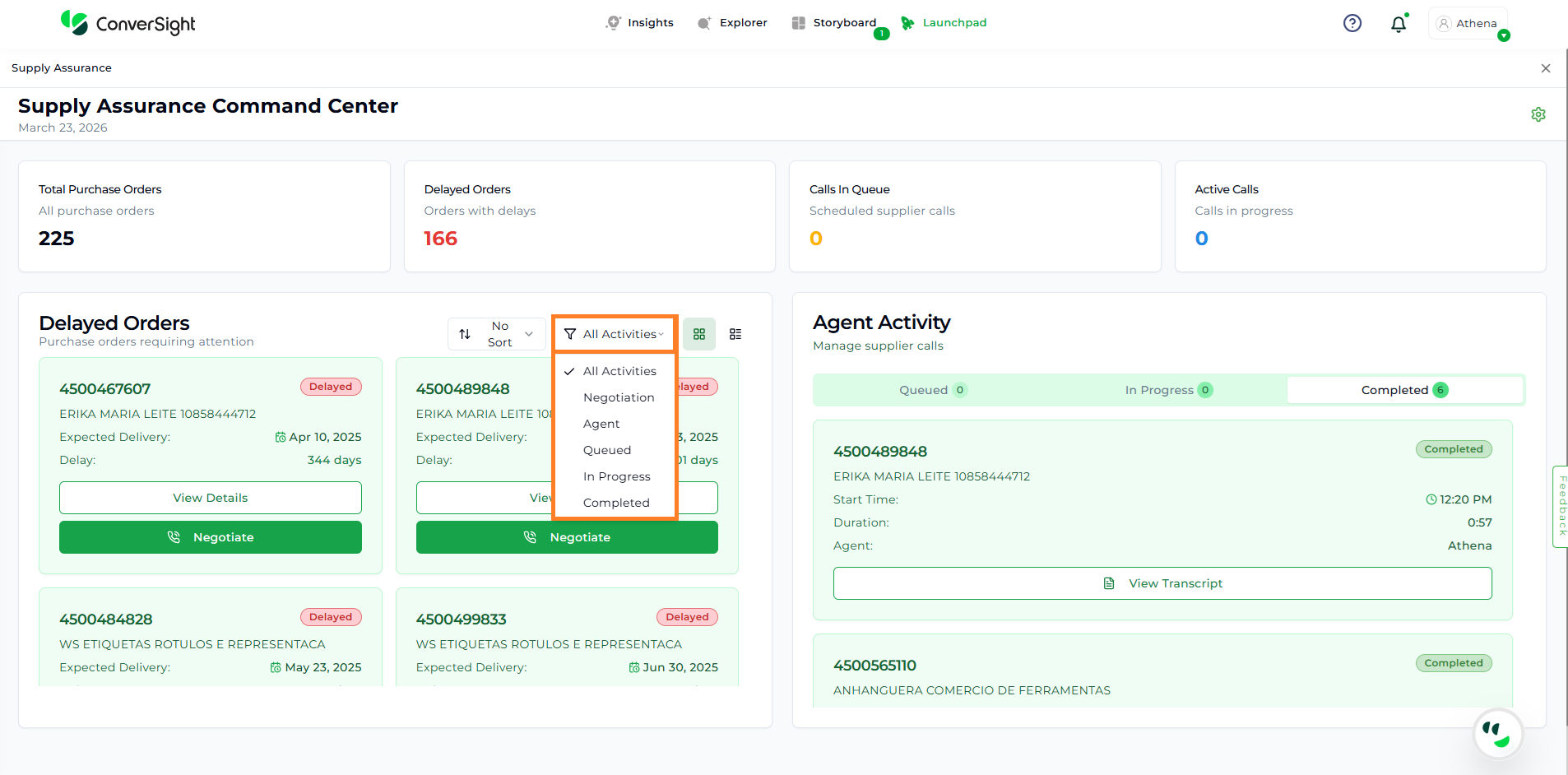
Filter#
Viewing and Managing Purchase Orders#
Users can view purchase orders in either Card View or List View based on their preference, using the available toggle option.
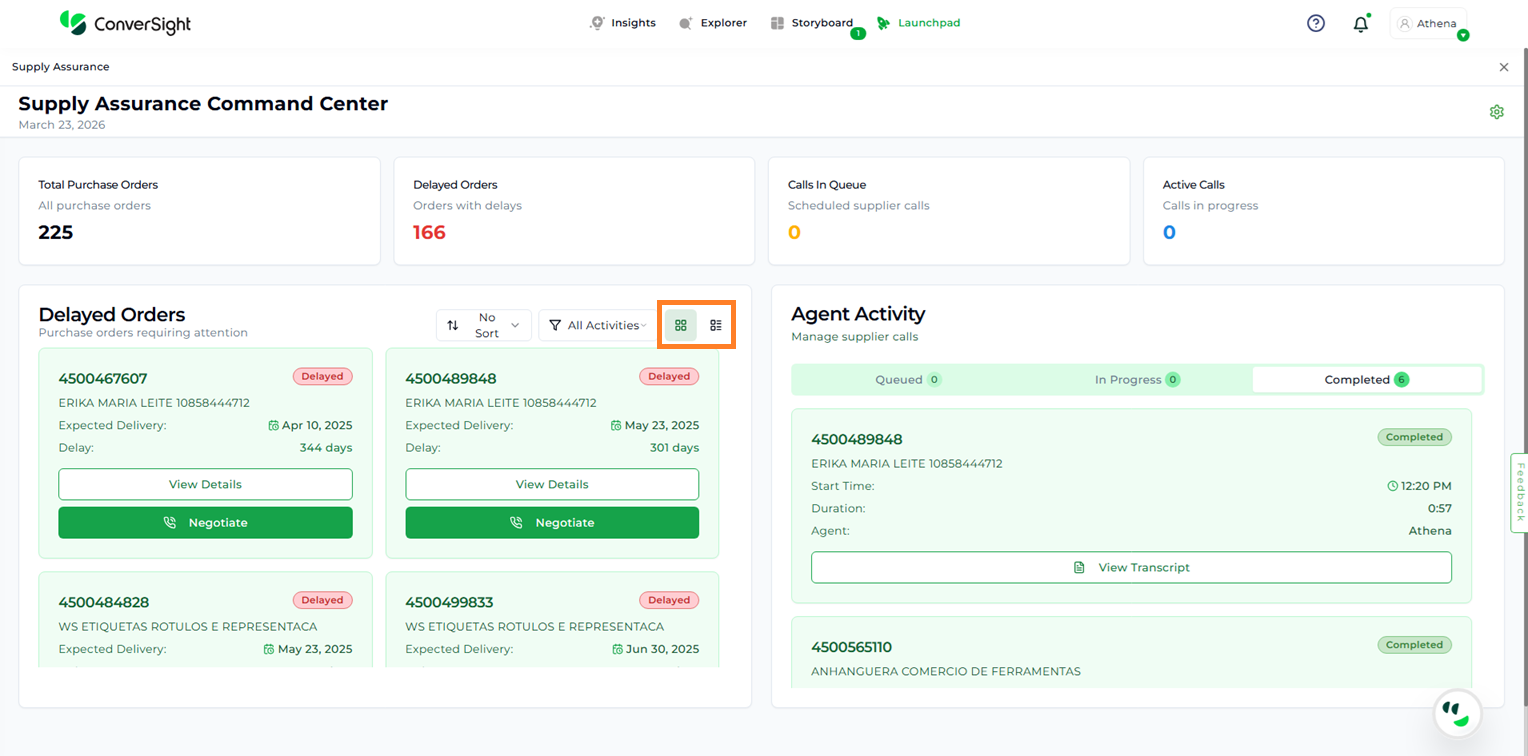
Card and List View#
Each order card provides key details at a glance, including:
Product Name/ID
Supplier Name
Expected Delivery Date
Number of Days Delayed
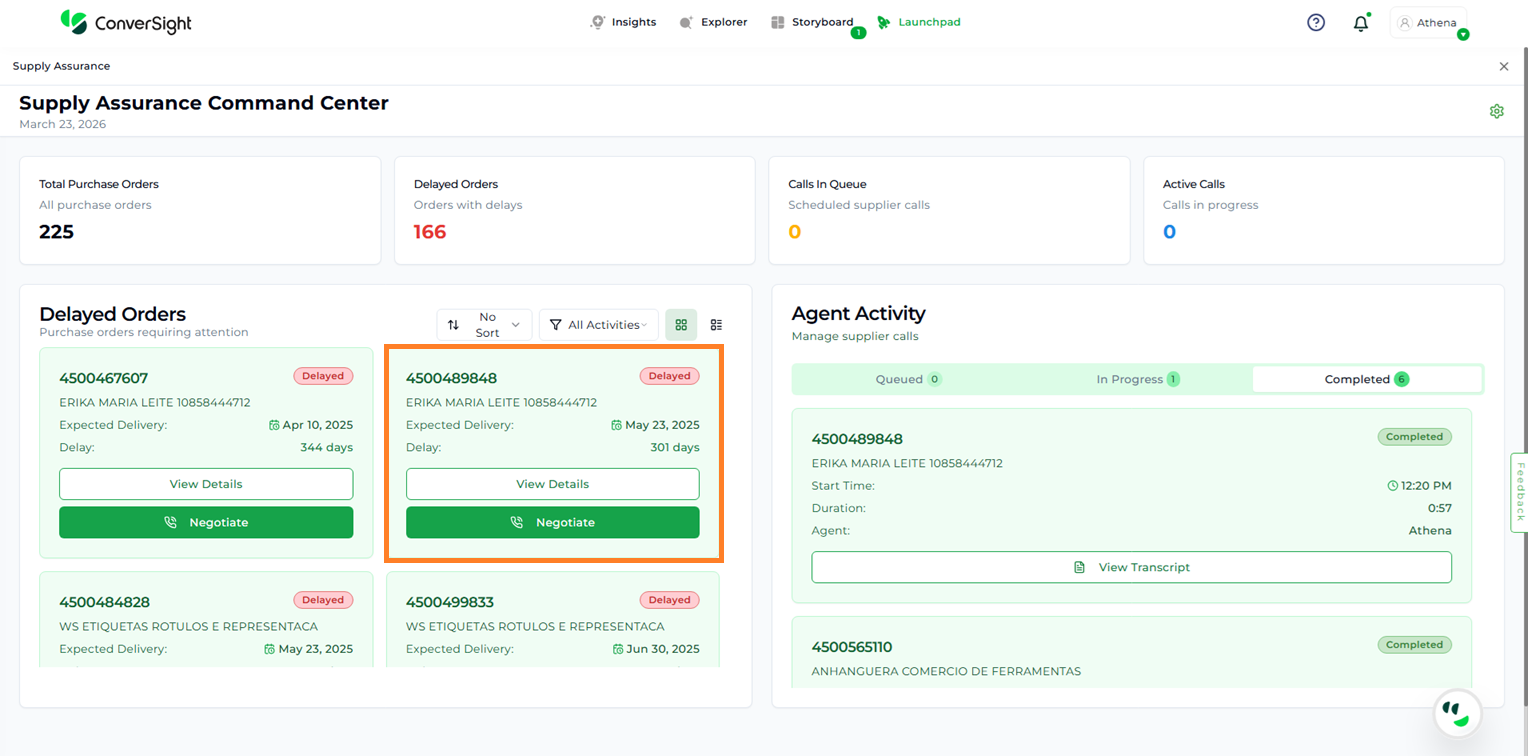
Purchase Order#
View Details#
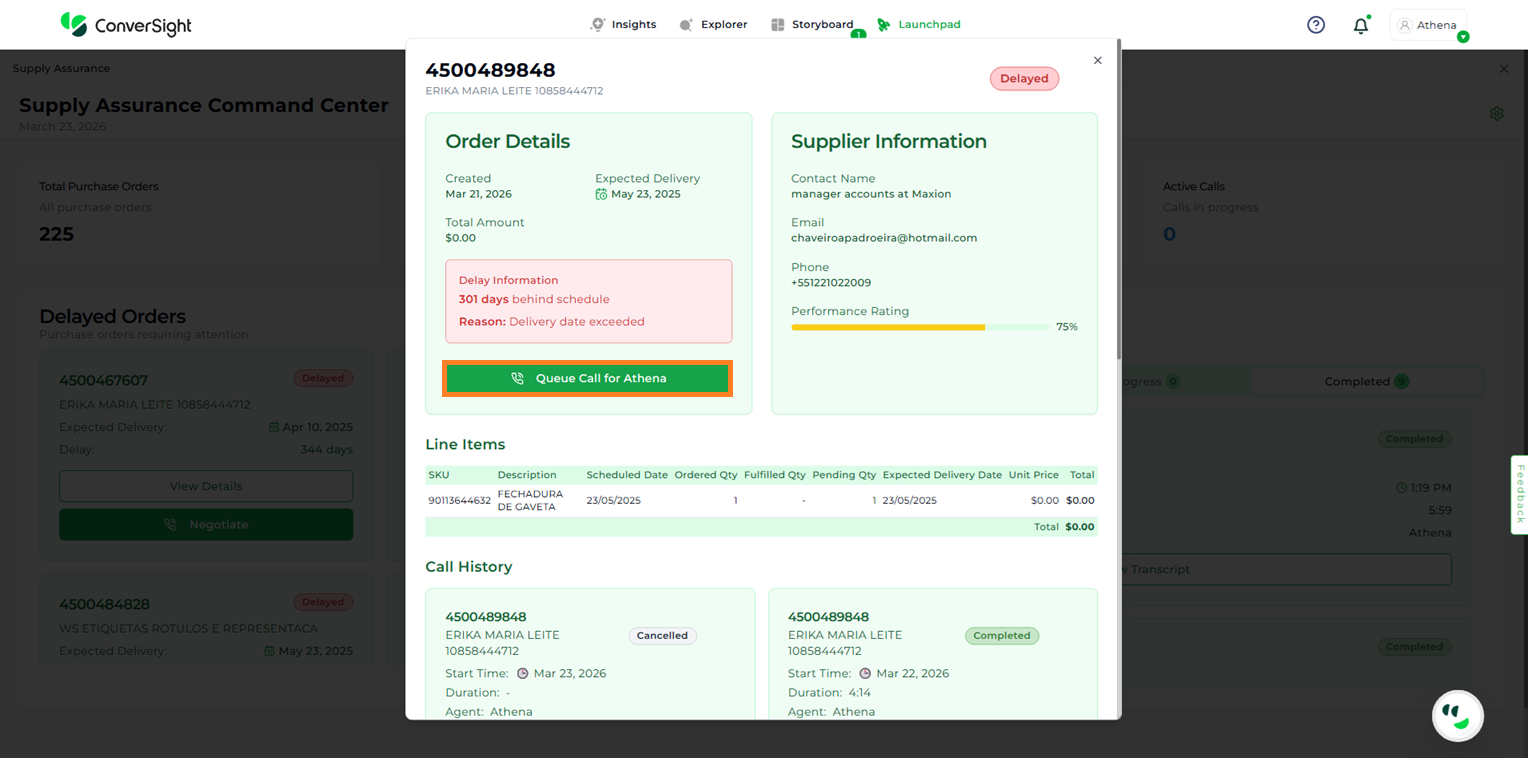
The View Details option presents comprehensive information, including Order Details, Supplier Information, Line Items, and Call History, in a single view without requiring navigation across multiple screens.
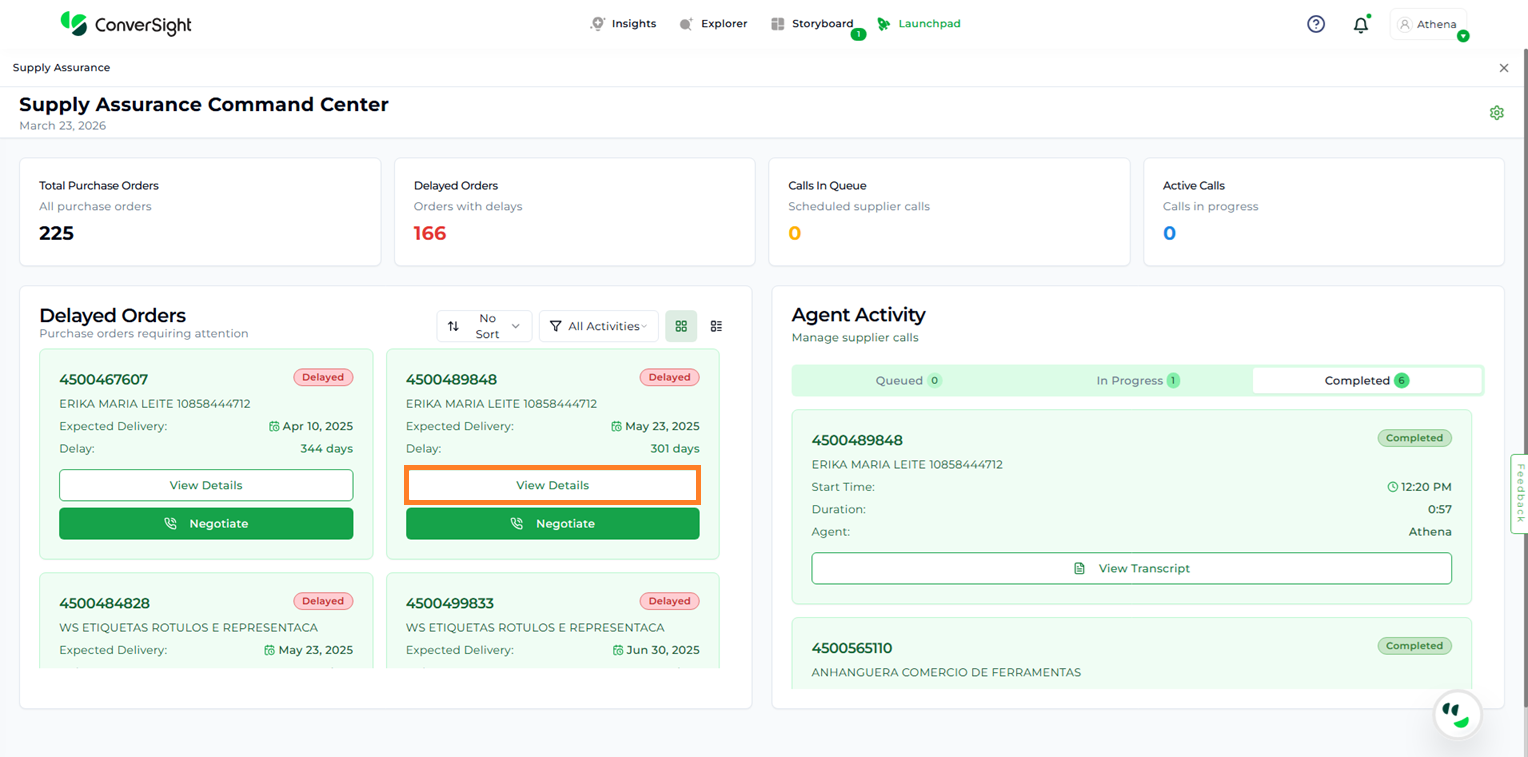
View Details#
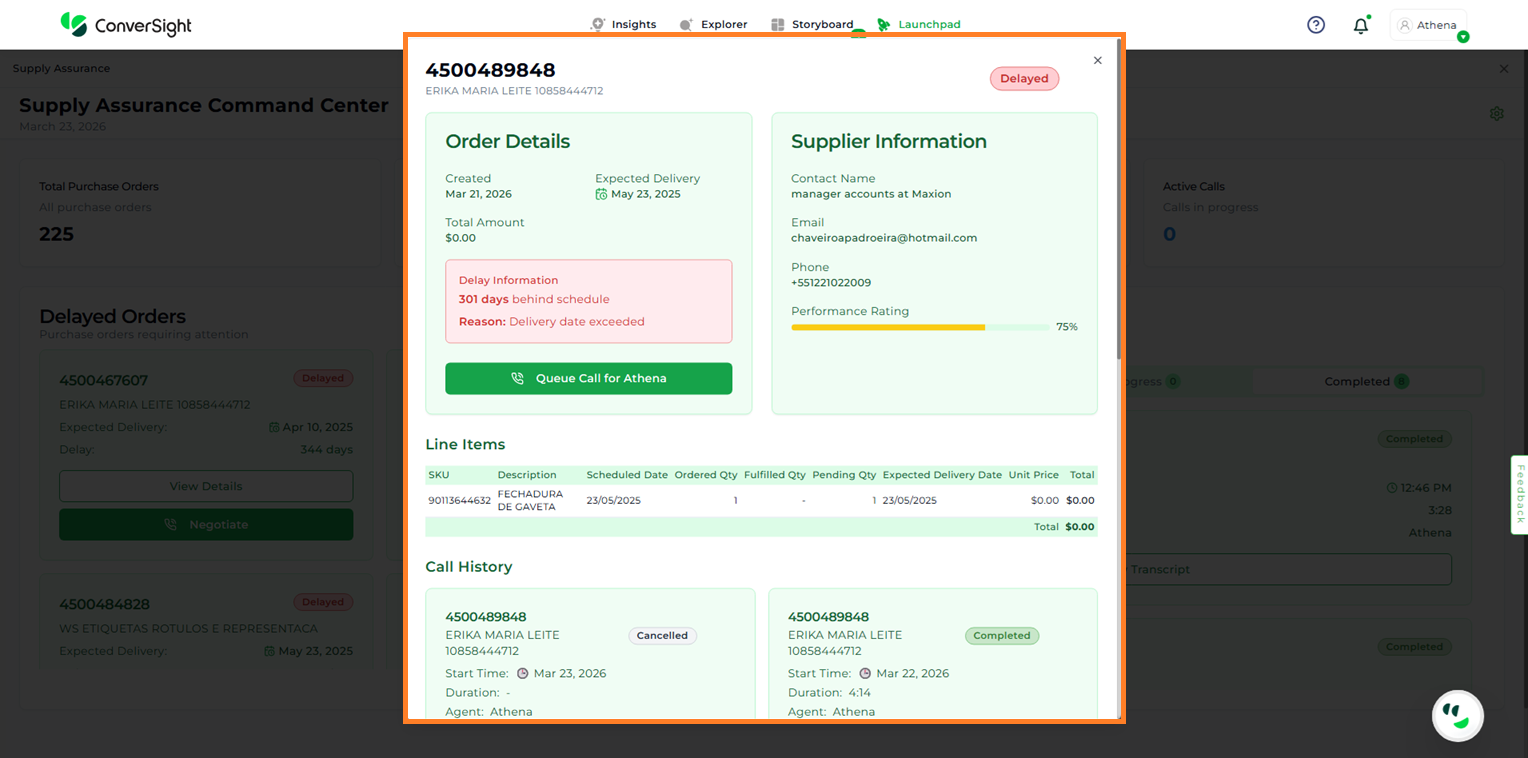
View Details#
Queue Call for Athena: This option allows users to add negotiation calls to the queue for Athena to process. Once queued, the call is scheduled and handled automatically, enabling users to initiate supplier negotiations without manual intervention.
Queue Call for Athena#
Negotiate#
To initiate a negotiation for a revised delivery date or to understand the reason for a delay, users can click the Negotiate button.
Negotiate#
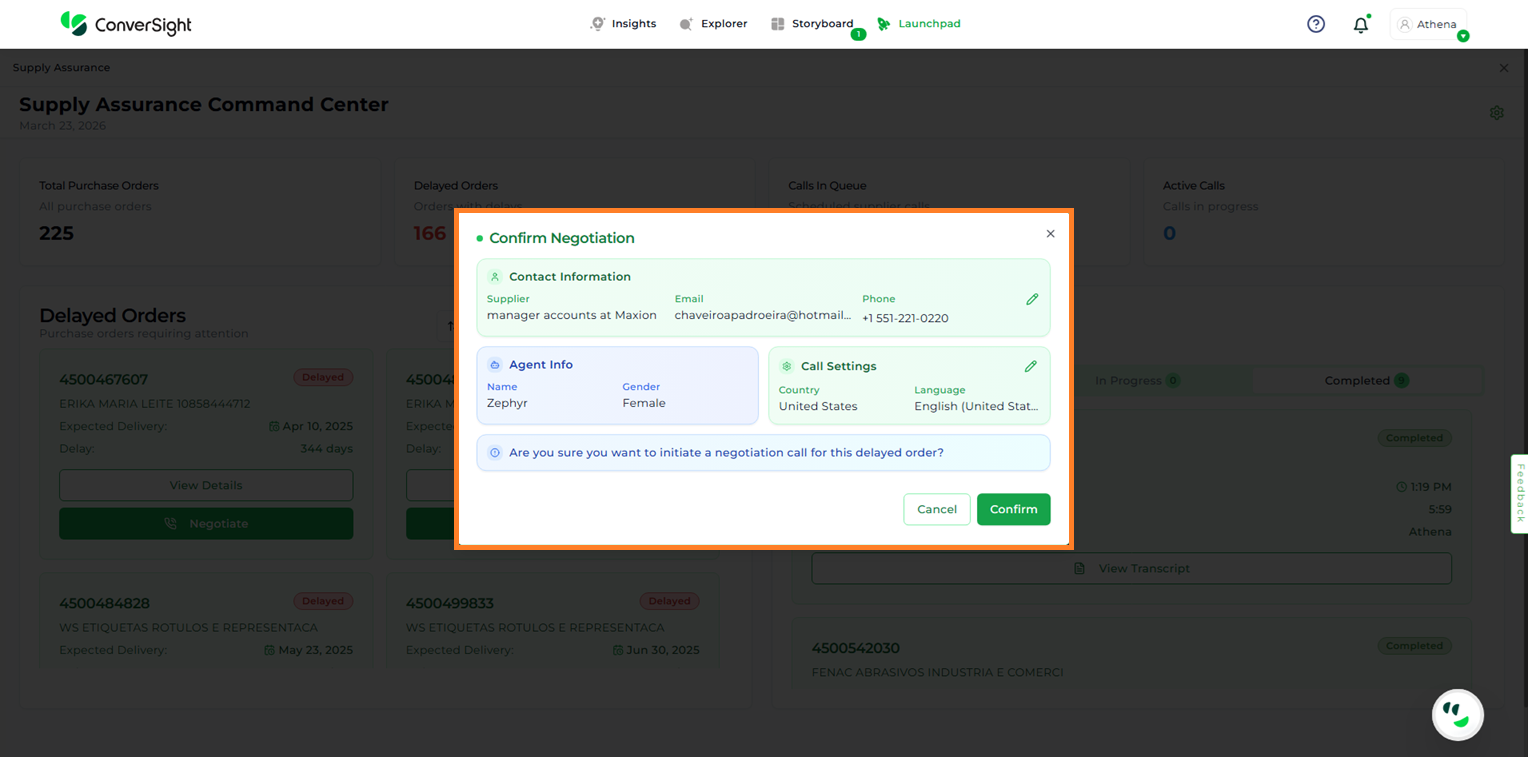
A pop-up is displayed with relevant details, including:
Contact Information: Name, email, and contact number
Agent Info: Name and gender of the assigned agent
Call Settings: Country and language preferences
Negotiate#
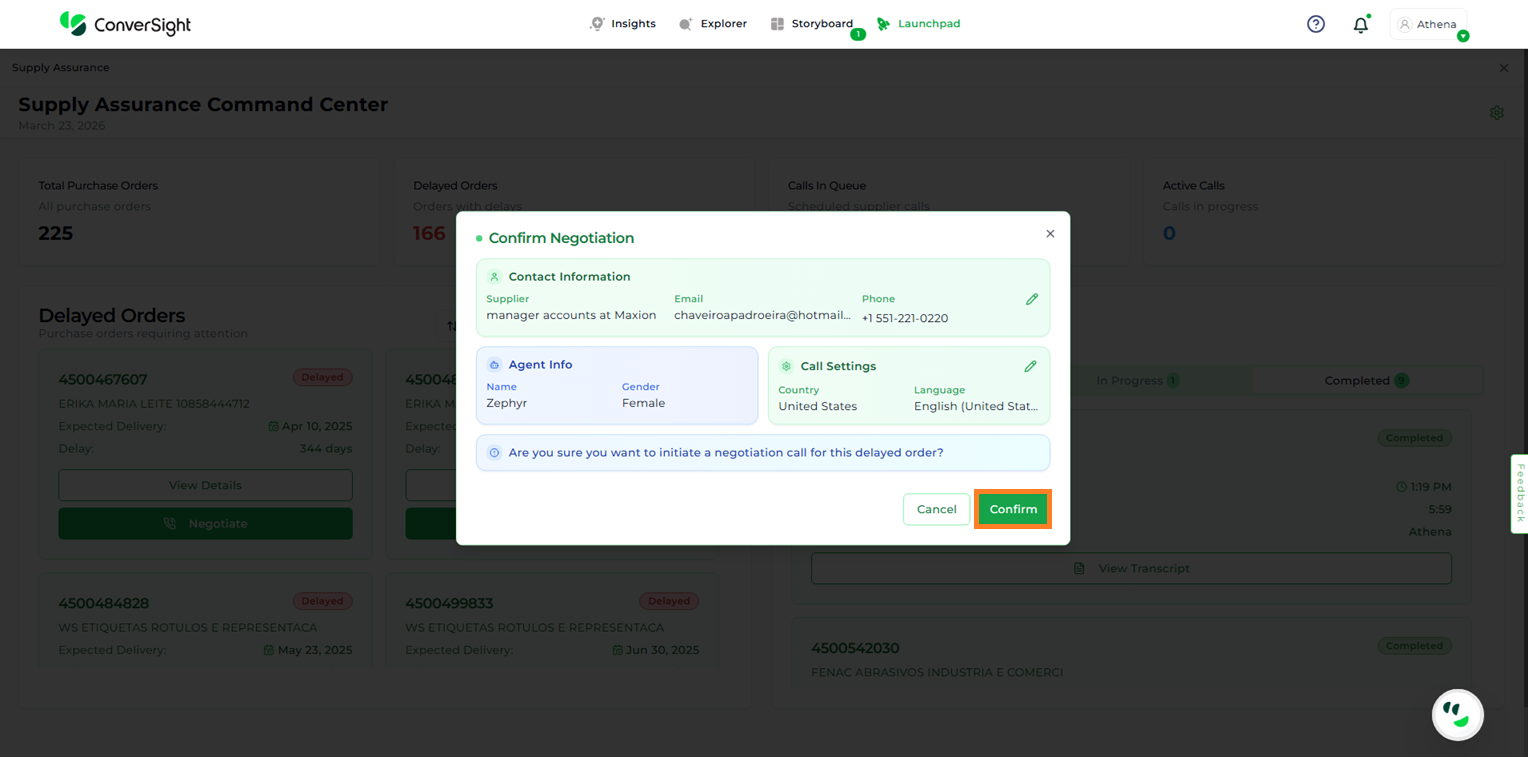
Users can review and update this information using the Edit option, if required. Once verified, clicking Confirm initiates the negotiation process.
Negotiate#
Once a negotiation call is initiated, it progresses through the following negotiation statuses:
Queued: The call is placed in a queue and will be initiated once earlier negotiations are processed
In Progress: The negotiation call is actively ongoing with the supplier to discuss delivery timelines or resolve delays
Completed: The call has been successfully concluded, and the updated delivery details are captured in the transcripts for reference later if required.
Agent Activity#
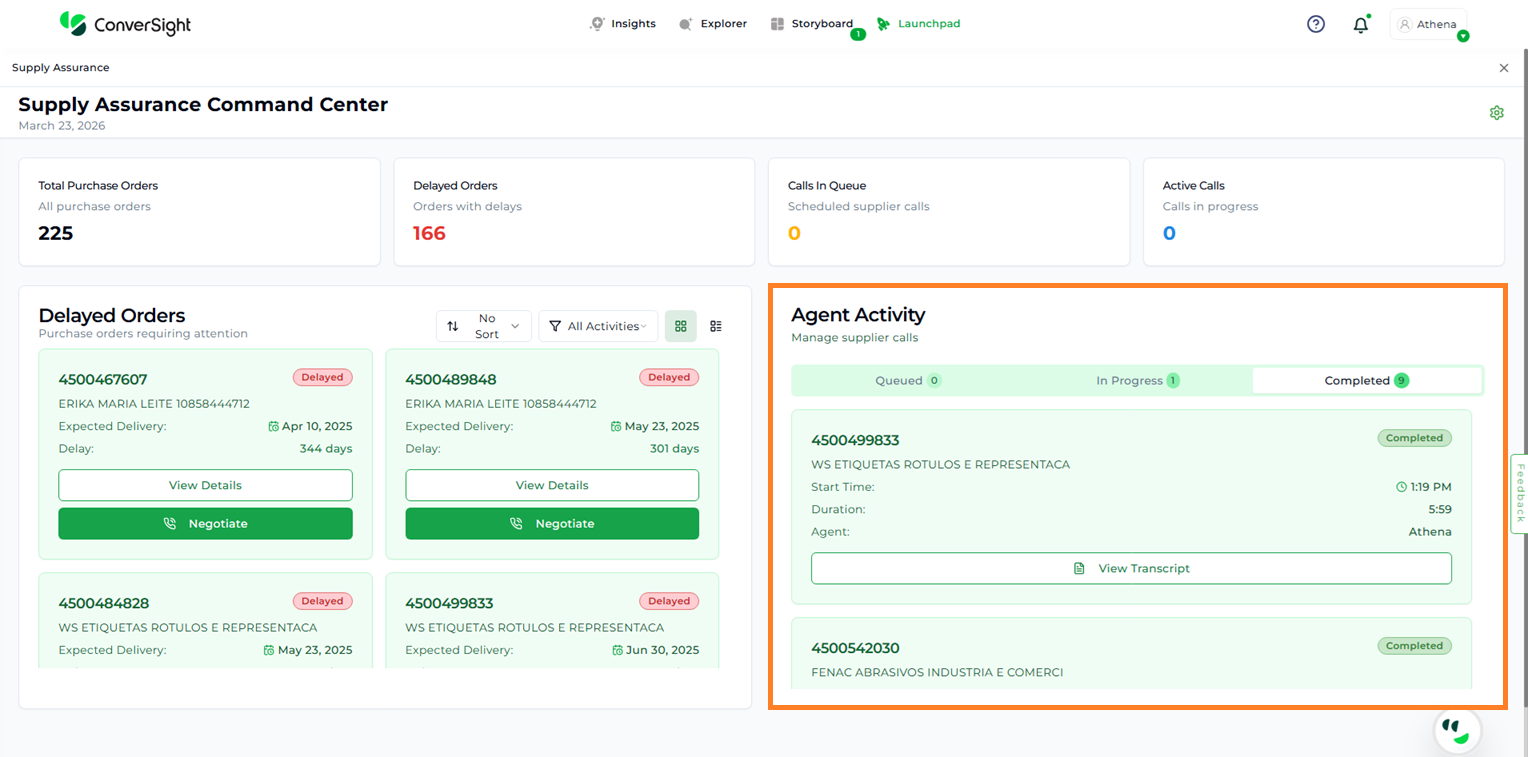
The Agent Activity section manages supplier calls and presents a structured view across three statuses: Queued, In Progress, and Completed. This allows users to track, manage, and review calls at each stage of the process.
Agent Activity#
Call Status Categories#
The Agent Activity page organizes supplier negotiation calls into three statuses, providing a structured view of call progress and outcomes:
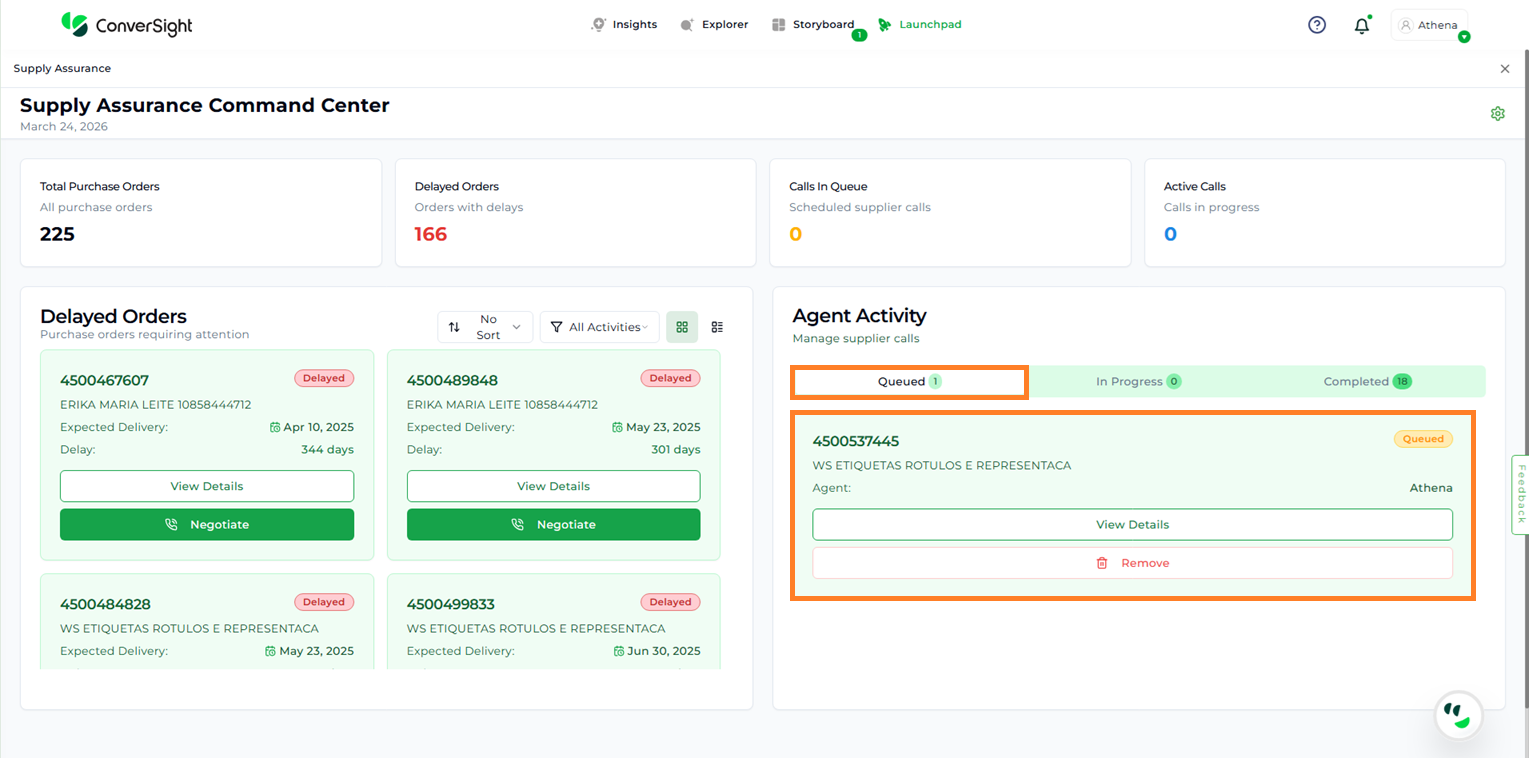
Queued: Displays calls that are scheduled but not yet initiated by the system. This view allows users to review all pending calls, verify call details, and take action if required. Users also have the option to delete a queued call if it is no longer needed, ensuring that only relevant requests are processed.
Call Status#
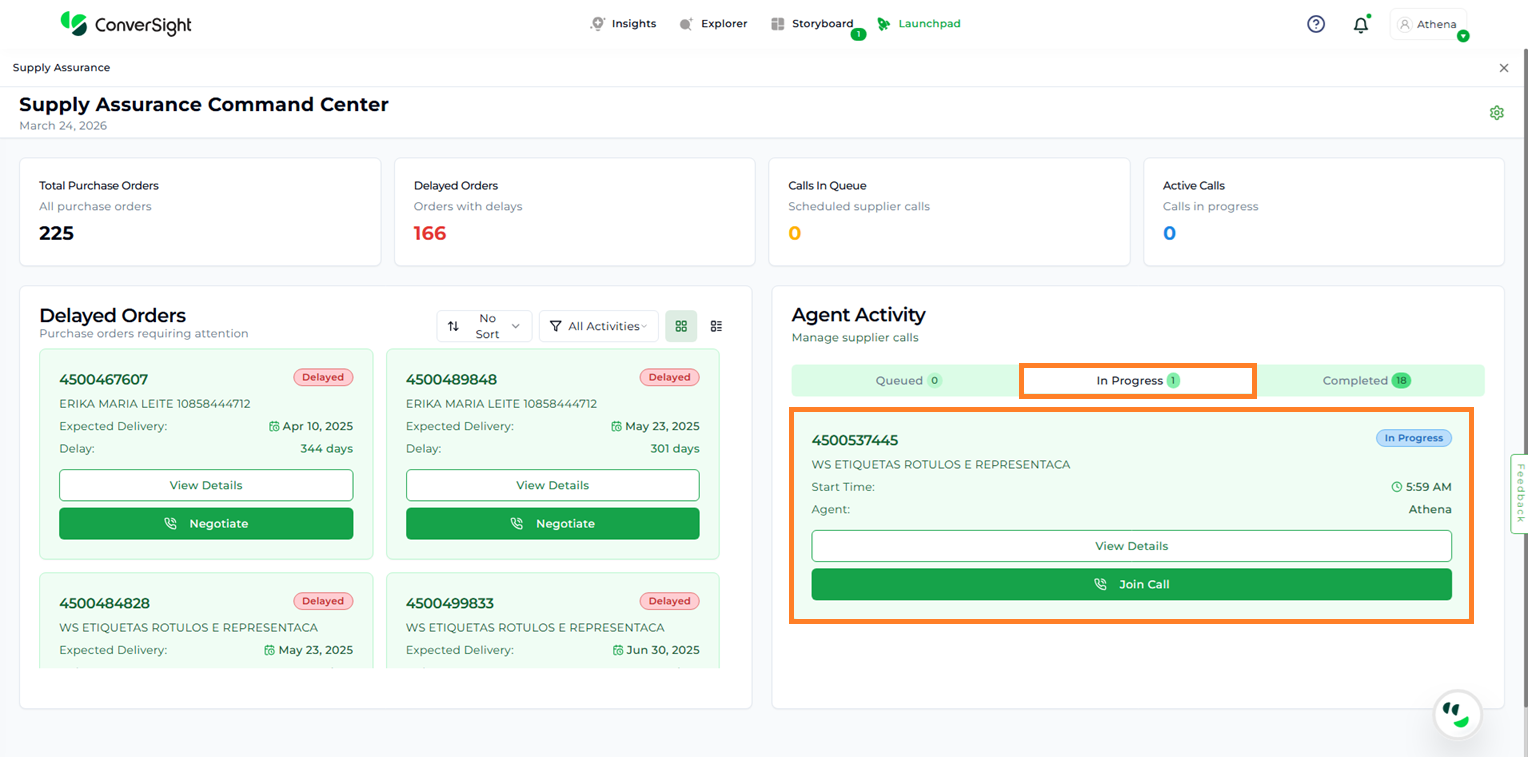
In Progress: Displays calls that are currently active with suppliers. This enables users to monitor ongoing negotiations in real time or participate directly by selecting the Join Call option. It provides visibility into live interactions and helps users stay informed about current discussions.
Call Status#
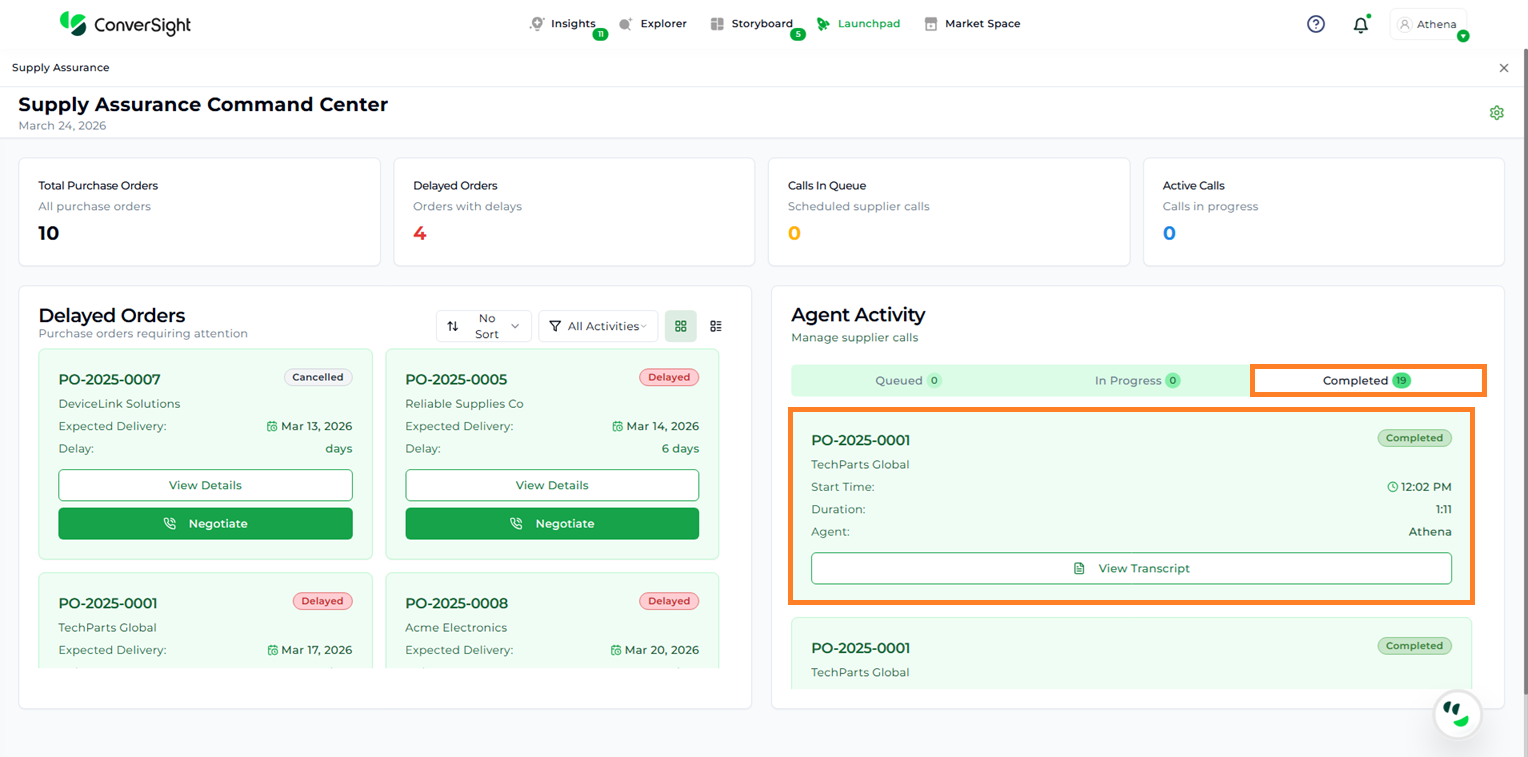
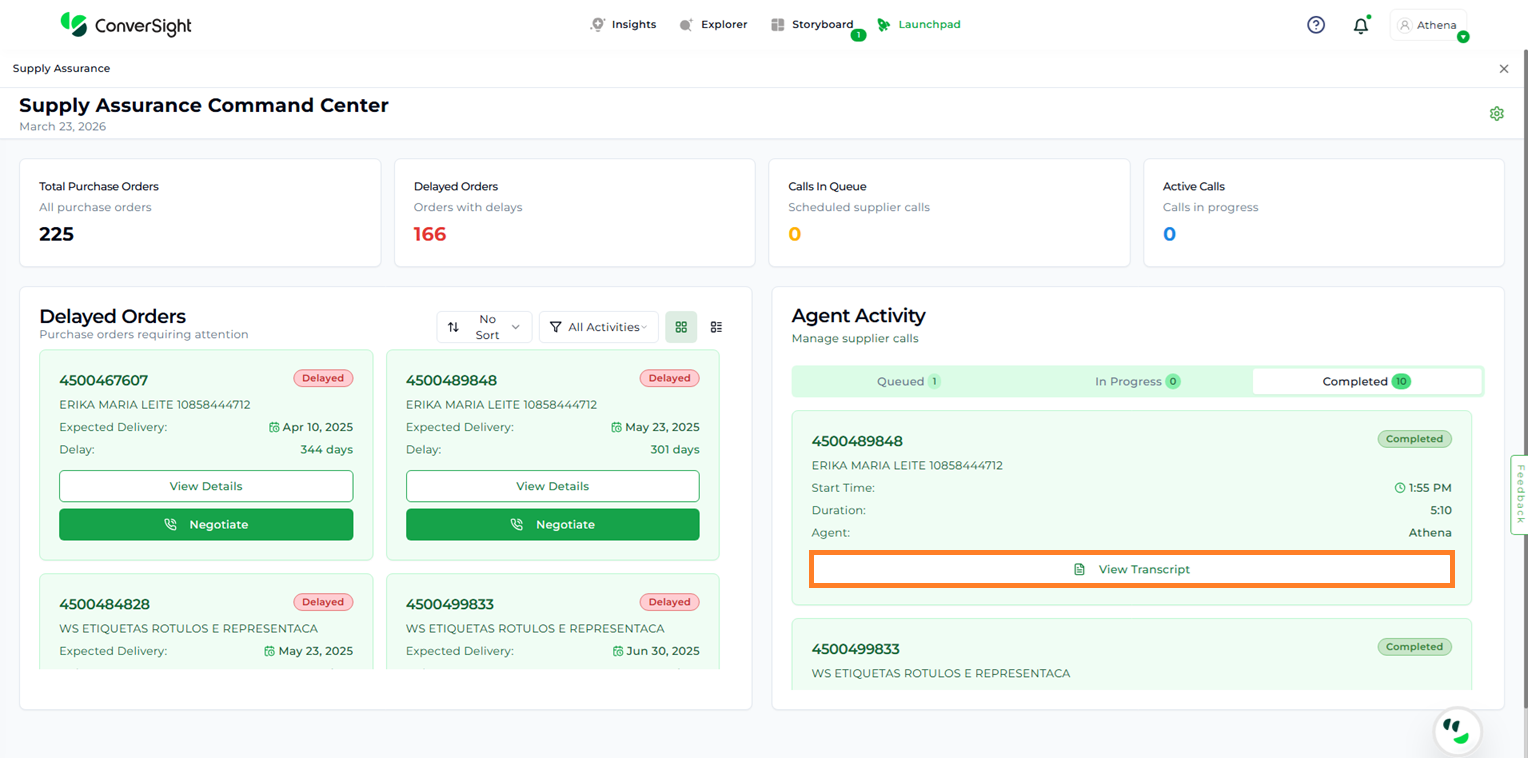
Completed: Displays calls that have been successfully completed by the agent. Each completed call is presented in a card format with key details, including:
Product Name/ID
Supplier Name
Start Time of the call
Duration of the call
Assigned Agent Name
Actions Performed during negotiation
View Transcript
Call Status#
View Transcript#
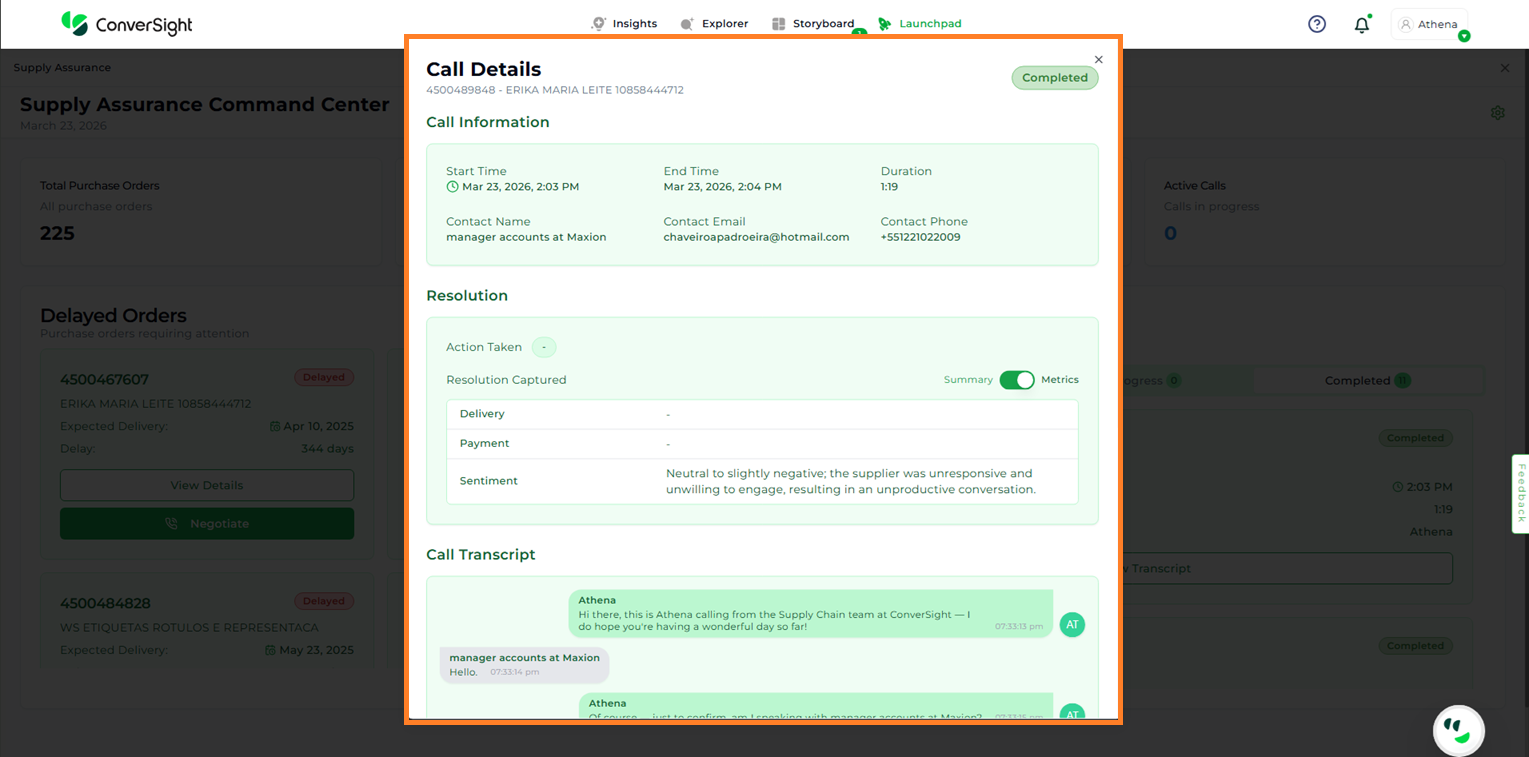
Once a call is marked as Completed, users can access the detailed transcript by selecting the View Transcript option. The transcript is organized into three sections:
View Transcript#
The transcript is organized into three sections:
Call Information
Resolution
Call Transcript
Call Information: Provides key details of the call, including start time, end time, duration, contact name, contact email, and contact phone number.
Resolution: Captures the outcome of the call, including actions taken, resolution details, updated delivery date, payment information, and sentiment.
Call Transcript: Displays the complete conversation recorded during the call for full reference.
View Transcript#
Benefits#
Reduced Delays & Missed Deliveries: Proactively identifies potential supply chain issues, ensuring purchase orders are delivered on time.
Automated Supplier Communication: Athena AI handles negotiations, updates timelines, and reduces manual follow-ups.
Real-Time Visibility: Clear dashboards show purchase orders, delayed items, and call activity status for quick decision-making.
Cost Savings & Improved Supplier Relationships: Reduced manual workload lowers administrative costs while ensuring better coordination with suppliers.