Smart Analytics using Notebook#
Smart Analytics enables advanced analytics development within the ConverSight platform using Jupyter Notebook. It allows users to author analytics logic programmatically to process enterprise datasets and generate analytical outputs or insights.
Smart Analytics feature is created entirely in the Notebook and can include data transformations, machine learning models, or custom operations using the ConverSight library. The Notebook provides a controlled environment for developing, testing, and validating analytics before they are operationalized.
Smart Analytics serves as the core analytical layer in ConverSight, producing outputs that can be reused, automated, and executed through Tasks and Flows. By developing analytics in the Notebook, users can perform complex and customized analytics that go beyond standard UI capabilities, while ensuring scalability, repeatability, and integration with scheduling and orchestration mechanisms.
Prerequisite
Access to the Jupyter Notebook is required to use Smart Analytics. Notebook access is managed by the organization administrator. Users without access must contact their organization administrator to enable Notebook permissions.
NOTE
Only Org Admin can provide access for Jupyter Notebook.
To access the Notebook from the ConverSight platform navigate to the Configuration panel and select Notebook from the AI Workbench menu to access the Notebook interface.
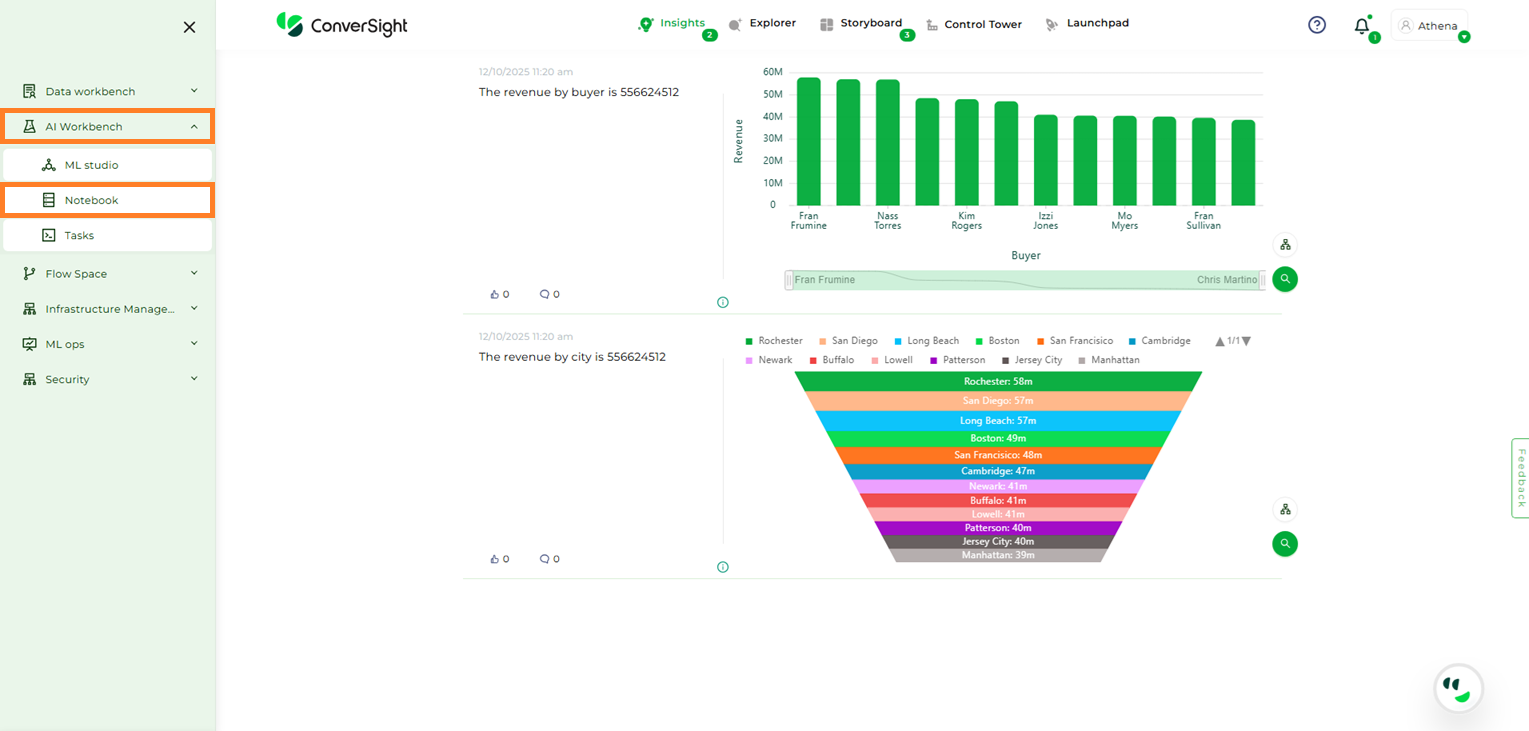
Notebook Option#
ConverSight provides two default Base Notebooks: the Standard ConverSight Notebook and the Machine Learning Notebook.
Standard ConverSight Notebook : The Standard ConverSight Notebook serves as a foundational tool, encompassing essential packages for executing tasks, flows, CS App and conducting fundamental analytical operations.
Machine Learning Notebook : The Machine Learning Notebook is specifically crafted to empower users with an extensive set of packages catering to the intricate requirements of machine learning and advanced analytics.
To initiate the Notebook, you can simply click on
 icon located in the action field of the associated Notebook.
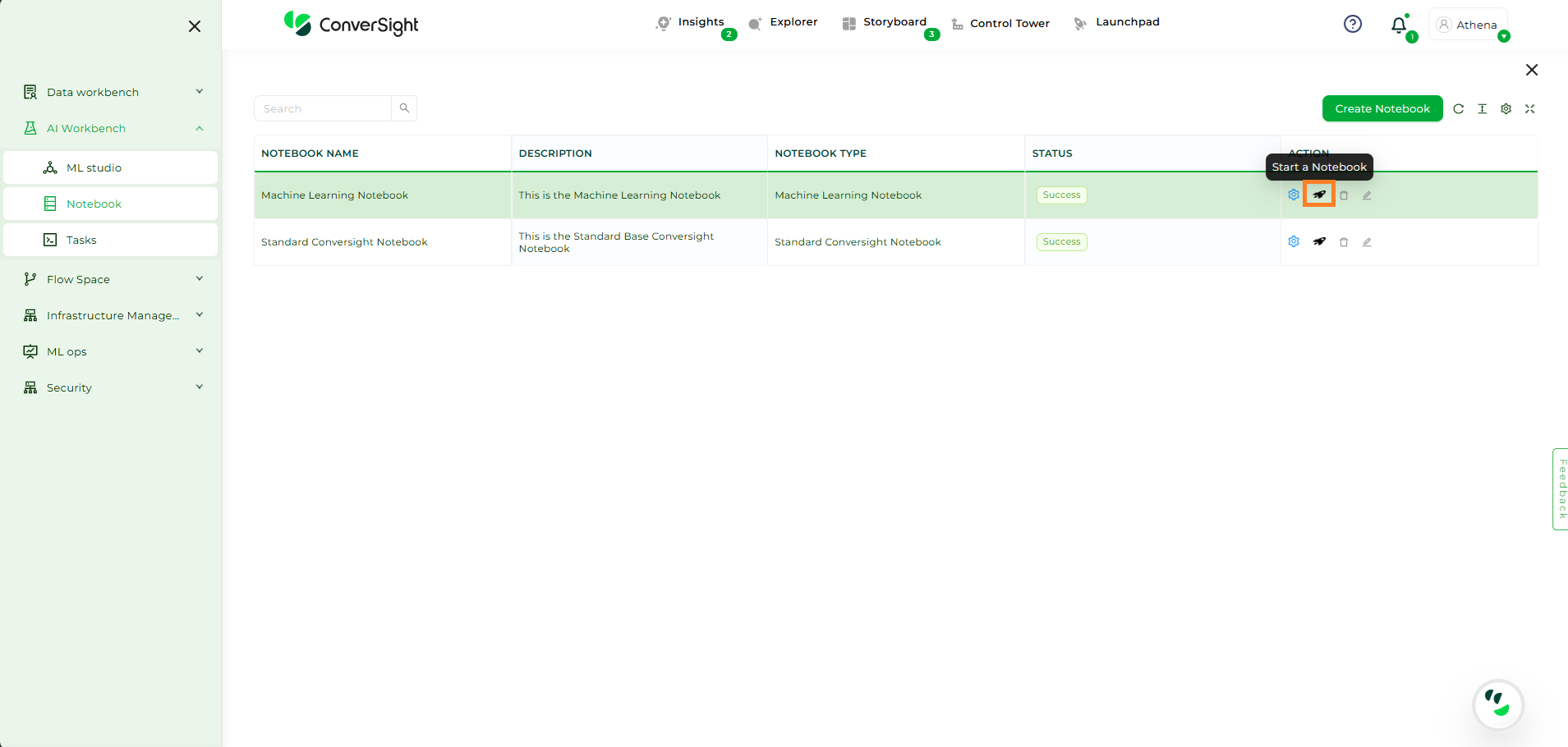
Jupyter User Interface#
Navigating to the Notebook section will bring you to a Jupyter Notebook interface where you can perform your data analysis. This feature is particularly useful for data scientists and engineers who can utilize the available datasets for their research and development.
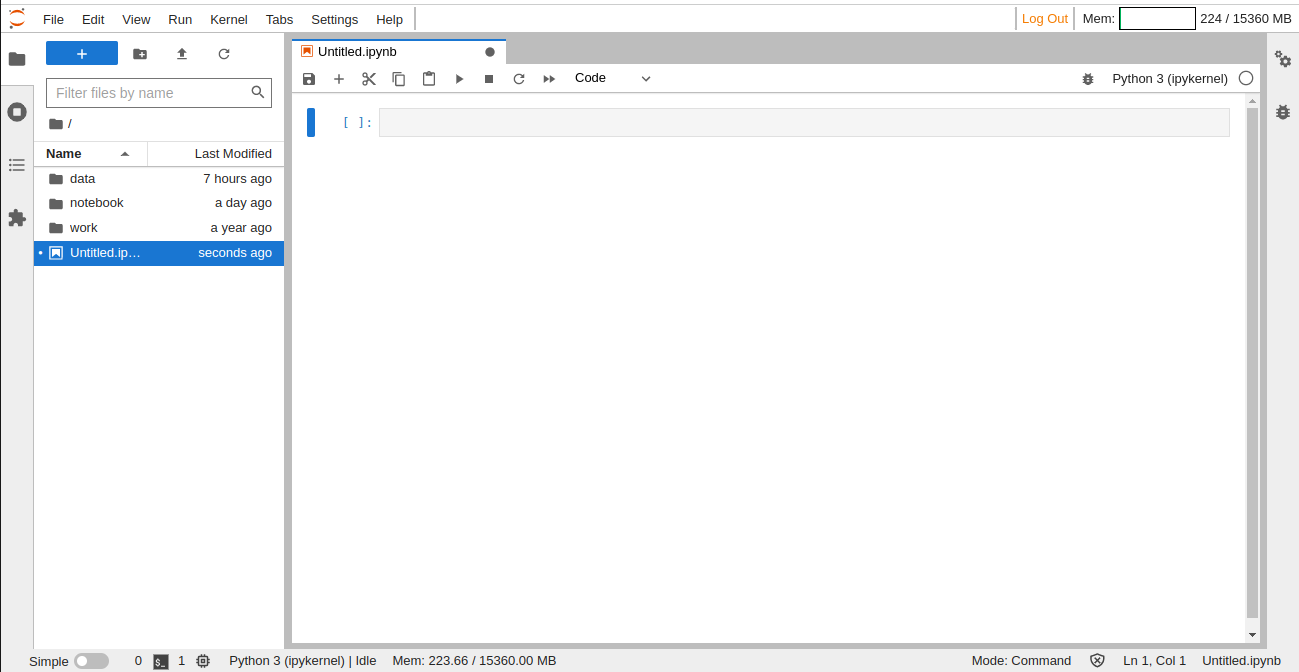
Jupyter User Interface#
Access the ConverSight Library to Import Datasets:
ConverSight has its own library which can be utilized to import datasets, flows, parameters, smart analytics, tasks, proactive insights, task libraries and flow libraries. To import a dataset, use the following code:

Import Libraries#
To access the functionalities of the dataset, type ds. and press the Tab key. You will then be able to view a list of available dataset functionalities that you can use in your code.

Dataset Functionalities#
Utilize the imported dataset to run your preferred machine learning algorithms and models to analyze the data and gain meaningful insights.